Docker Container Manager
A Bash tool for everyday Docker work: running containers as a table, shell, logs, stats and restart from a menu, favourites, history and direct access by part of the name.
Since
2023
Licence
MIT
Technologies
The Challenge
Anyone working with many containers every day types the same commands again and again: docker ps, copy names, docker exec with the right shell, docker logs, docker stats. That costs time and causes typos, especially when containers have similar names.
The Solution
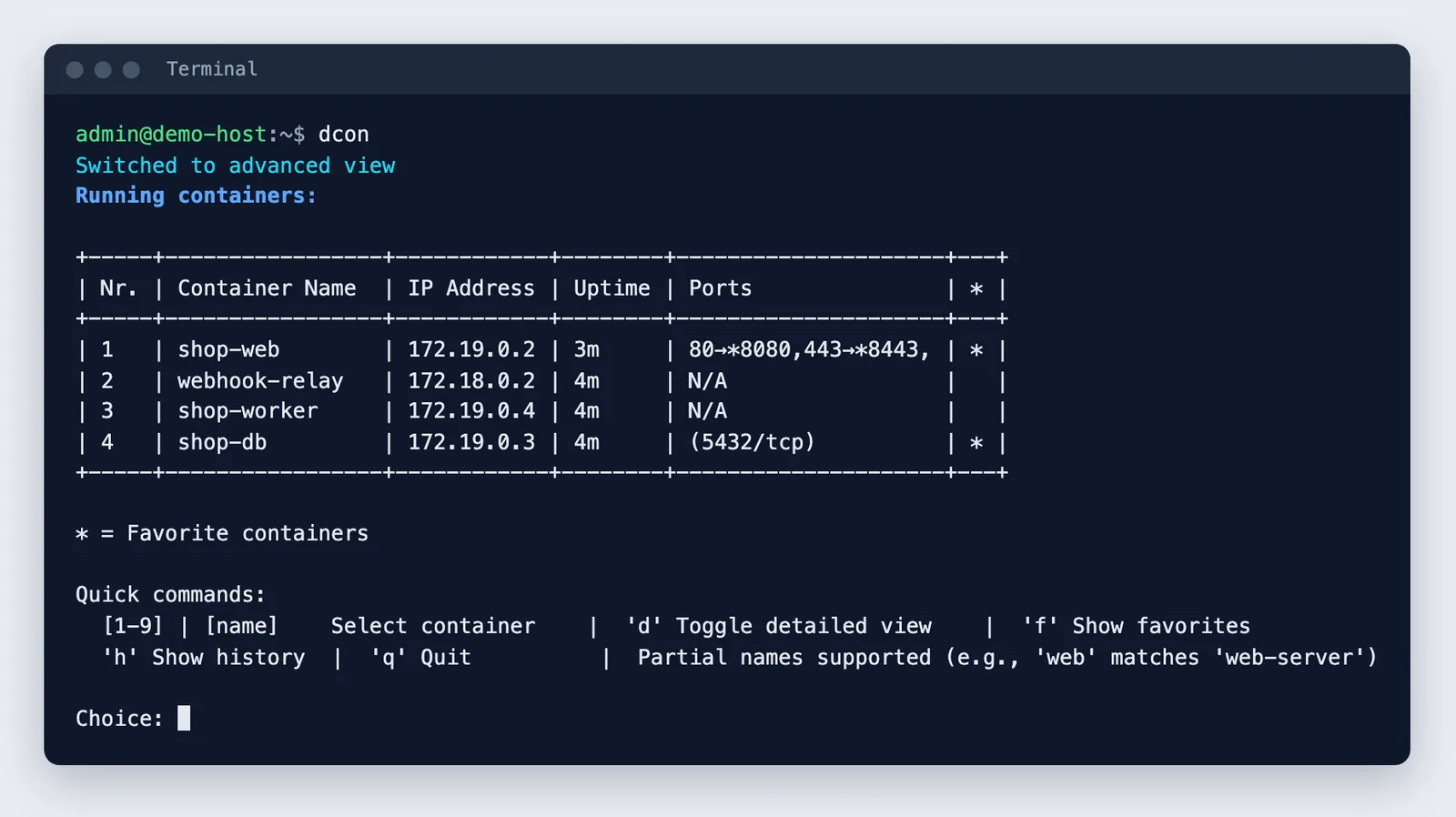
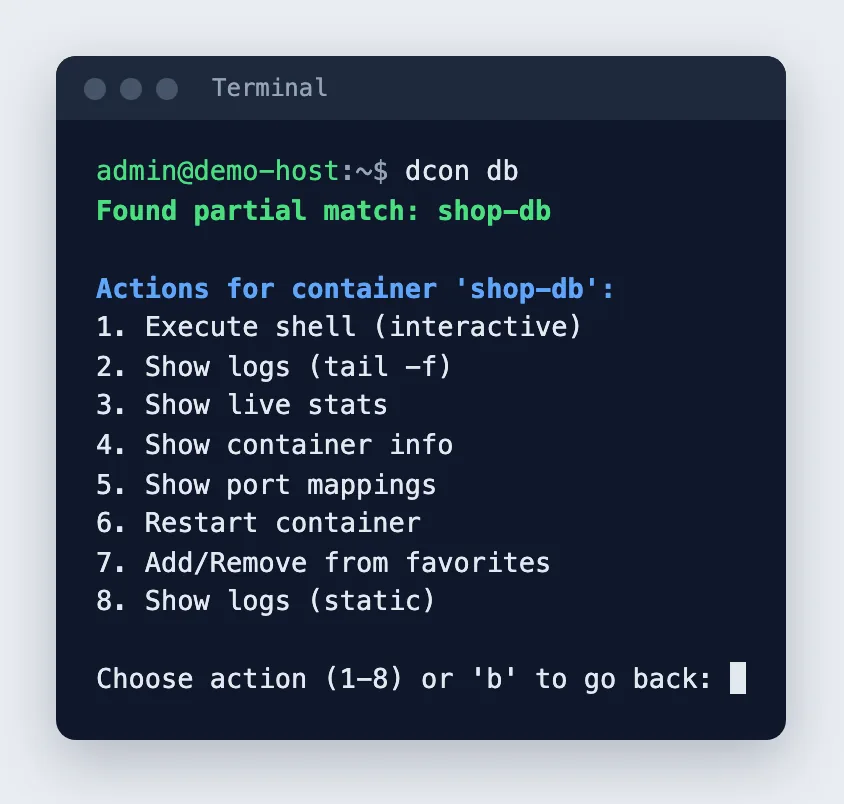
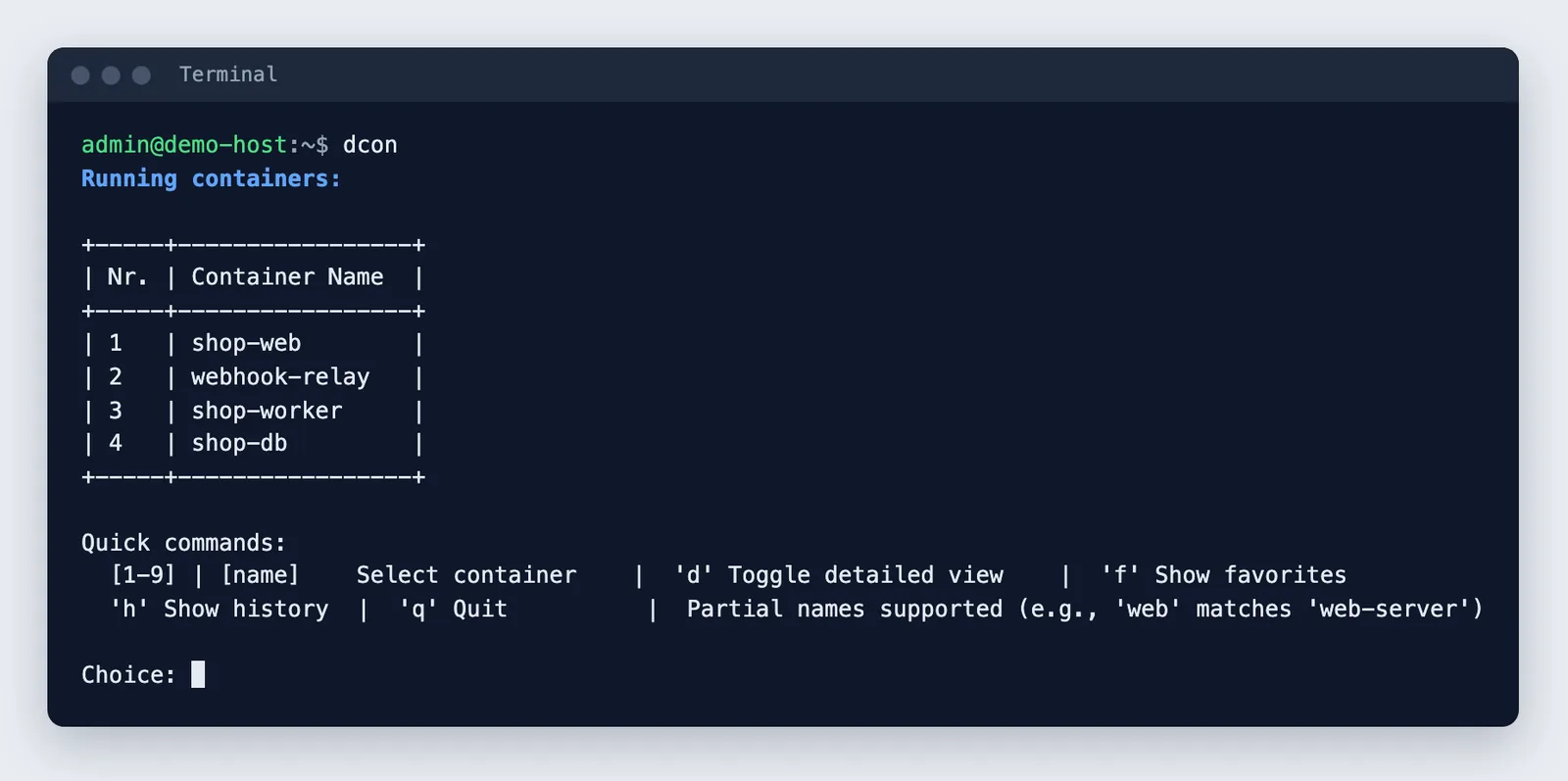
dcon shows all running containers as a table and offers the usual actions per container as a menu. With dcon and part of a name you jump straight in; if several containers match, a selection appears. Favourites and a history remember what you worked with last.
What dcon does
Container table
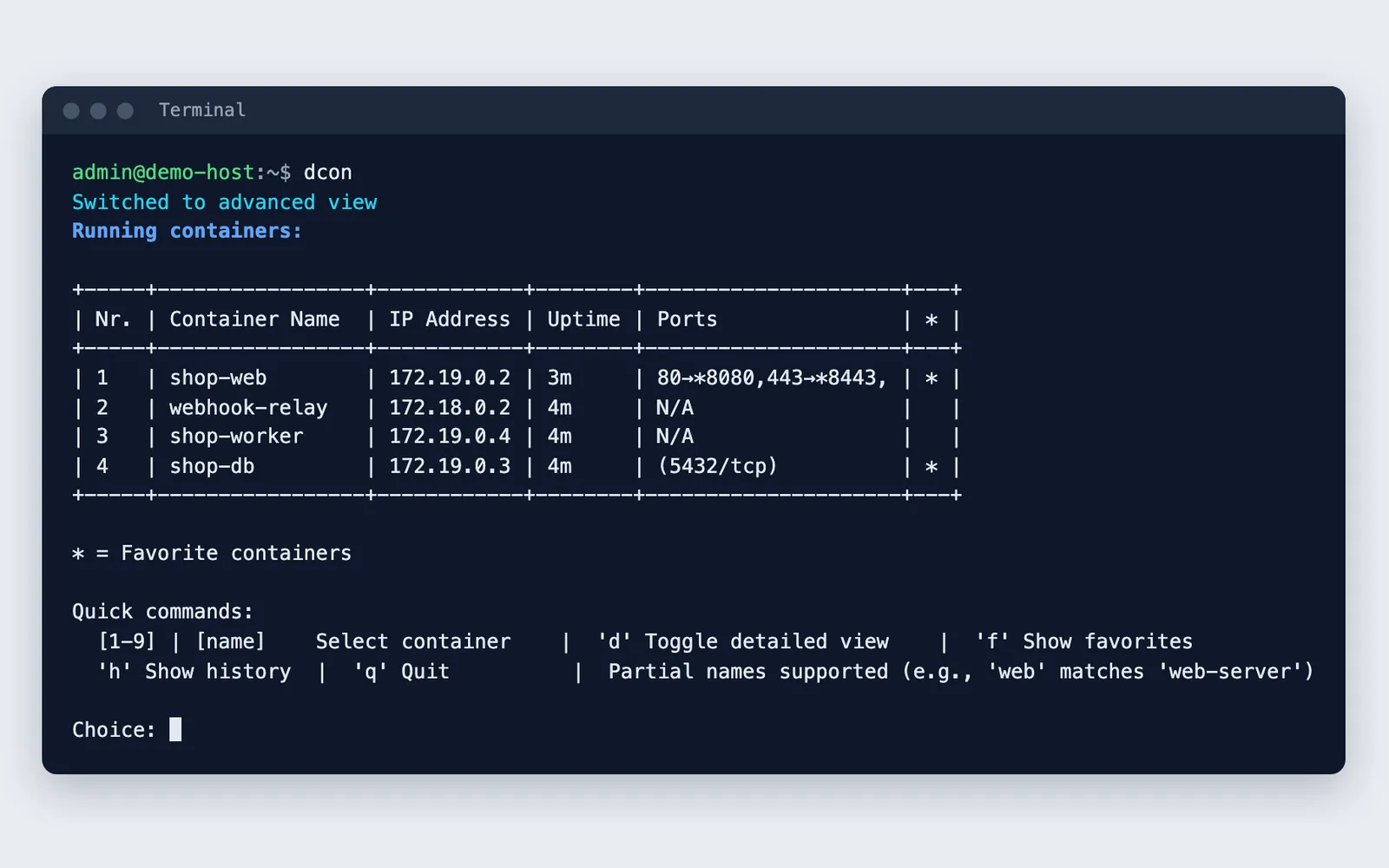
Running containers in a simple or advanced view with IP, uptime, ports and favourite marker; column widths adapt.
Actions per container
Shell with auto-detected bash, sh, zsh or ash, logs live or static with timestamps, docker stats, inspect info, port mappings and restart.
Favourites and history
Frequently used containers can be marked as favourites, and a history remembers the last actions; both live in the user's home directory.
Technology
Plain Bash around the Docker CLI: docker ps, inspect with format templates, port, exec, logs, stats and restart. There are no other dependencies, no daemon and no web interface. A call like dcon web finds containers by part of the name.
Development
The tool started in 2023 as a small shortcut for docker exec and has since grown into a full container manager for the command line.
Use and licence
dcon runs on any Linux system with Bash and Docker, without installing further packages. The code is on GitHub under the MIT licence.
Privacy
dcon works locally with the Docker CLI only and sends nothing out. Favourites, history and settings live in the user's home directory.
Results
A tool that reduces the most common Docker tasks to a few keystrokes, without extra dependencies.
Gallery
Script output in a test environment with example containers.